Resize Image Online (Image Resizer)

Resize images online instantly to exact dimensions without losing quality. Use this image resizer to change width, height, percentage, or file size for web, social media, and everyday use.

Use this free image resizer to resize image online for websites, social media, and exact-dimension uploads.

Works in your browser · No upload required · Fast and private

Image resizer is a tool that lets you resize images by changing width, height, percentage, or file size. You can resize photos for websites, social media, email, and SEO without losing quality.

Works in your browser
No upload required
Fast and private resizing
1 Upload
2 Settings
3 Download

Step 1: Upload Images

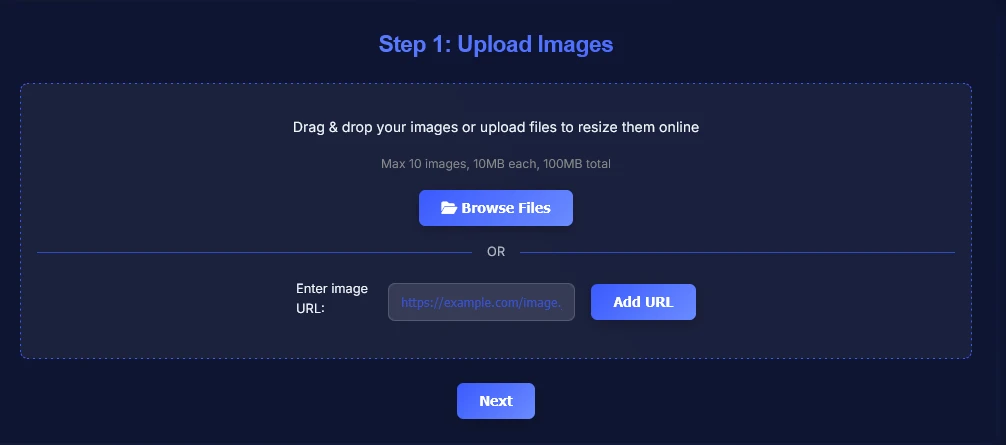
Upload your image and resize it to the exact size you need in seconds.

Drag & drop your image or upload files to resize them online
Resize images by pixels, percentage, or file size. Max 10 images, 10MB each, 100MB total.
OR
How to Use Image Resizer Online

Follow these simple steps to resize image online for exact dimensions, better quality control, and faster publishing.

1

Upload your image from your device, or add multiple files if you want to resize several images in one session.

Upload image to resize online using image resizer tool
2

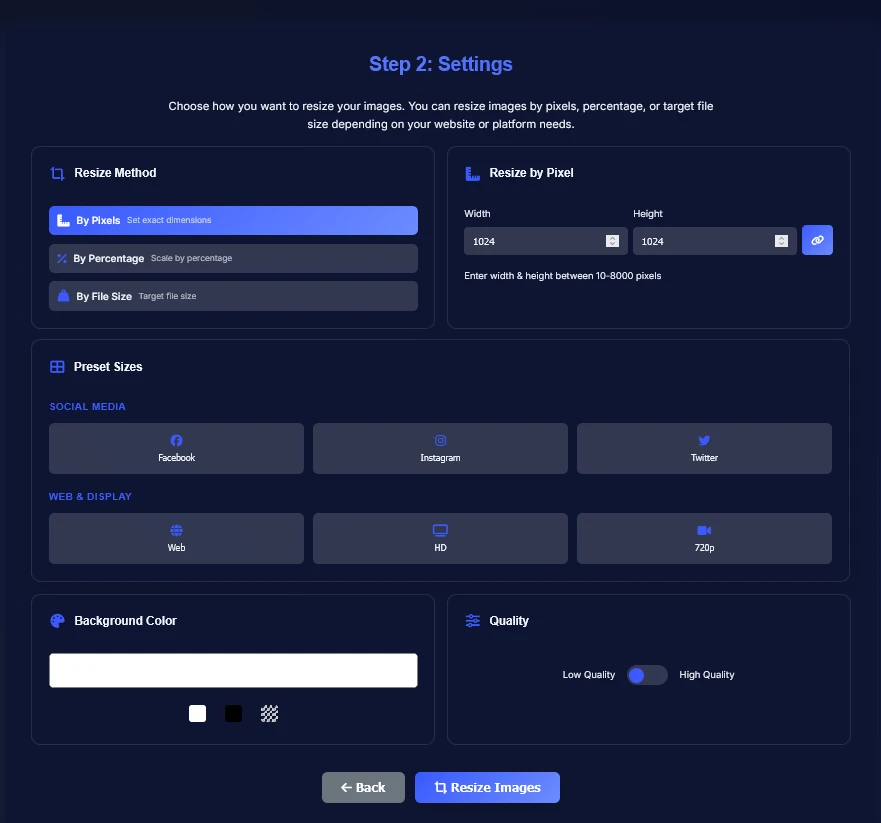
Choose resize settings by pixels, percentage, or target file size, then use presets when you need sizes for websites or social platforms.

Set image width and height using image resizer online
3

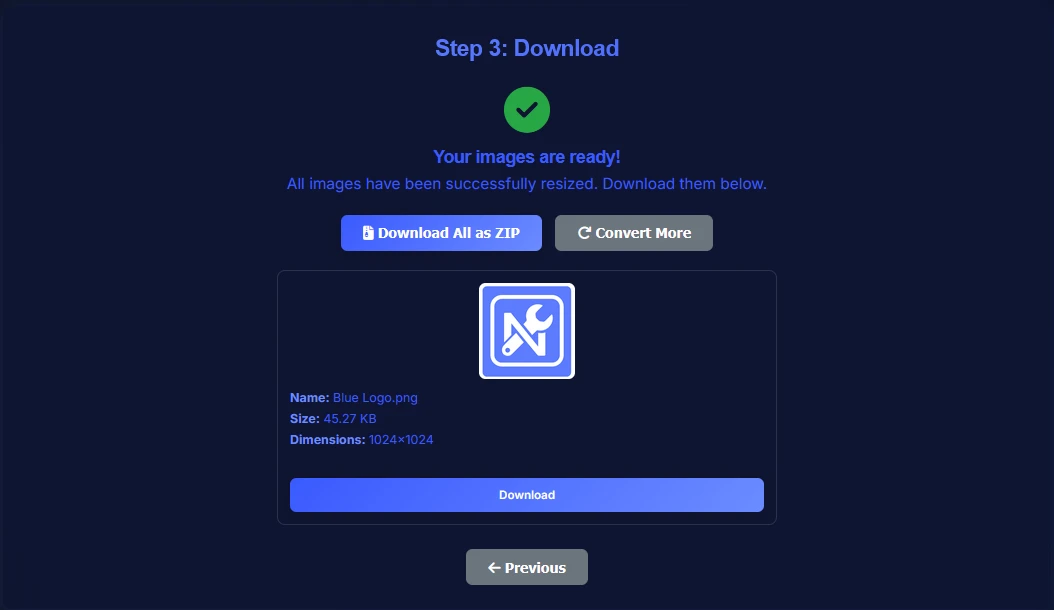
Download the resized image once it is ready and use it for websites, social media, email, or other exact-dimension uploads.

Download resized image without losing quality

How to Resize Image Online

Resize image online by uploading your file, choosing your preferred size settings, and downloading the result when it is ready.

Learning how to resize an image is simple: upload the file, choose the exact dimensions or resize method you want, and download the updated version. This image resizer is built for quick edits without changing the core tool flow.

It works well when you need to resize image online for websites, blog posts, product pages, email, or social media without opening a full design app.

Resize Image Without Losing Quality

You can often resize image without losing quality when you start with a clear source file and avoid extreme upscaling. Reducing dimensions usually holds up well, while enlarging small images too much can soften details.

This tool is designed to help you adjust size cleanly, but the best result still depends on the original image and how much you change it.

Resize Image for Social Media and Websites

Use the built-in presets and custom sizing options to resize image for Instagram, Facebook, blog posts, banners, landing pages, and other web placements. Exact dimensions help your image fit the space you need without awkward cropping.

That makes the tool useful for social posts, thumbnails, ecommerce graphics, hero banners, and everyday website uploads.

Resize Image by Pixels, Percentage, or File Size

This image resizer lets you resize image by pixels when you need exact width and height, by percentage when you want proportional scaling, or by file size when you are trying to meet upload limits.

Those options are helpful when you need to resize image to specific size requirements for forms, platforms, emails, or content management systems.

Best Image Resizer for JPG, PNG, and WebP

You can use this tool as an image resizer for JPG, PNG, and WebP files, which covers the most common formats used across websites, marketplaces, and social platforms. That makes it easy to resize photo files without switching between different tools.

Whether you are adjusting a product image, blog graphic, or profile picture, the supported formats fit most common publishing workflows.

Resize Photo to Exact Dimensions

If you need a resize photo tool for exact dimensions, use the pixel setting and enter the width and height you want. This is useful for platform upload rules, profile images, ad creative, and custom website slots.

You can also lock proportions when needed or switch to percentage resizing if you want to scale an image more gradually.

Image Resizer FAQ

Practical answers about resizing images online for websites, social media, and exact-dimension uploads.

How do I resize an image online?
Upload your image, choose your resize settings, and download the resized file when it is ready. You can resize by pixels, percentage, or target file size.
Can I resize image without losing quality?
In many cases, yes, especially when reducing image size or making moderate adjustments. Very large upscaling can still soften details, so the final result depends on the original file and the resize amount.
How do I choose the right image size for different platforms?
Use platform requirements or built-in presets when available. Social media posts, website banners, thumbnails, and email graphics often need different dimensions, so matching the target platform helps the image display correctly.
Can I resize image for Instagram or Facebook?
Yes. The tool includes social media presets and custom dimension controls, so you can prepare images for Instagram, Facebook, and similar platforms.
Can I resize multiple images with the same settings?
Yes. You can upload multiple images in one session and apply the current resize settings before downloading the finished files.
Can I resize image by pixels, percentage, or file size?
Yes. This image resizer supports exact pixel dimensions, percentage-based scaling, and target file size settings.
What formats does this image resizer support?
The tool works with common image formats including JPG, PNG, and WebP, along with several other supported upload types shown in the uploader.
Is this image resizer free?
Yes. You can resize image online for free with the current tool and download the result after processing.

Related Image Tools

Use related image tools to keep optimizing your files after resizing.