Private browser-based image compressor

Image Compressor Online Free

Compress images online to reduce file size, speed up uploads, improve website performance, and make sharing easier. Works with JPG, PNG, and WebP directly in your browser.

Files stay in your browser
No upload required
No account needed

Common use cases

Built for the image-compression jobs people need to finish quickly.

  • Ecommerce

    Compress product images for faster ecommerce pages and better storefront performance.

  • Web uploads

    Reduce image size before uploading to websites, landing pages, and CMS platforms.

  • Email

    Make image attachments smaller and easier to send without changing your workflow.

  • Social

    Prepare JPG, PNG, and WebP files for social uploads and faster sharing.

  • Storage

    Save storage space on your device or inside shared folders by shrinking image files.
1 Upload
2 Settings
3 Download

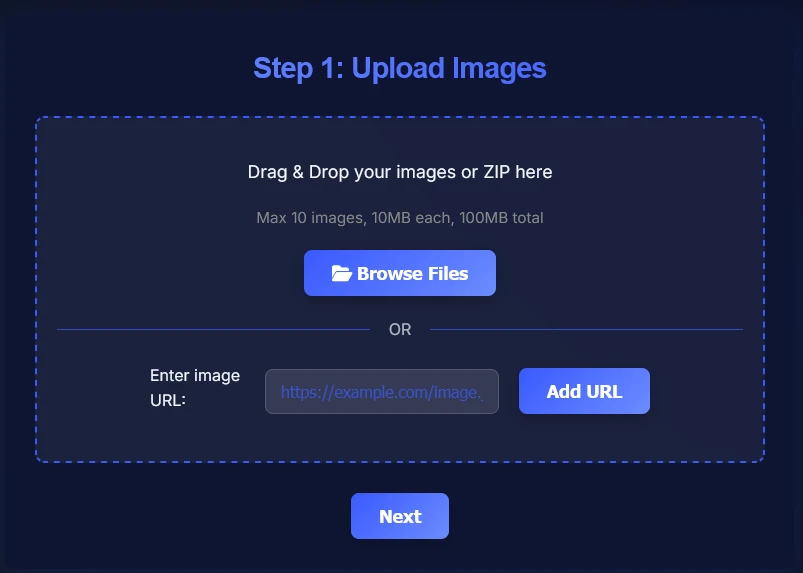
Step 1: Upload Images

Drag & Drop your images or ZIP here
Max 10 images, 10MB each, 100MB total
OR

Why use this Image Compressor tool?

Reduce image file size quickly without adding extra steps to your workflow.

Use this tool when you need smaller JPG, PNG, or WebP files for websites, ecommerce listings, email attachments, or social uploads. It helps you reduce image size so pages load faster, uploads finish sooner, and files are easier to store and share.

Because compression runs in your browser, you can optimize images privately without waiting for server uploads. It is a simple way to keep usable quality while cutting unnecessary file weight.

How to compress images online (step-by-step)

Follow these steps to compress image files online and download smaller JPG, PNG, or WebP files.

1

Add your images using drag-and-drop, the file browser, or a ZIP file. This is the fastest way to start when you need to reduce image file size for multiple files at once.

Add images to compress online
2

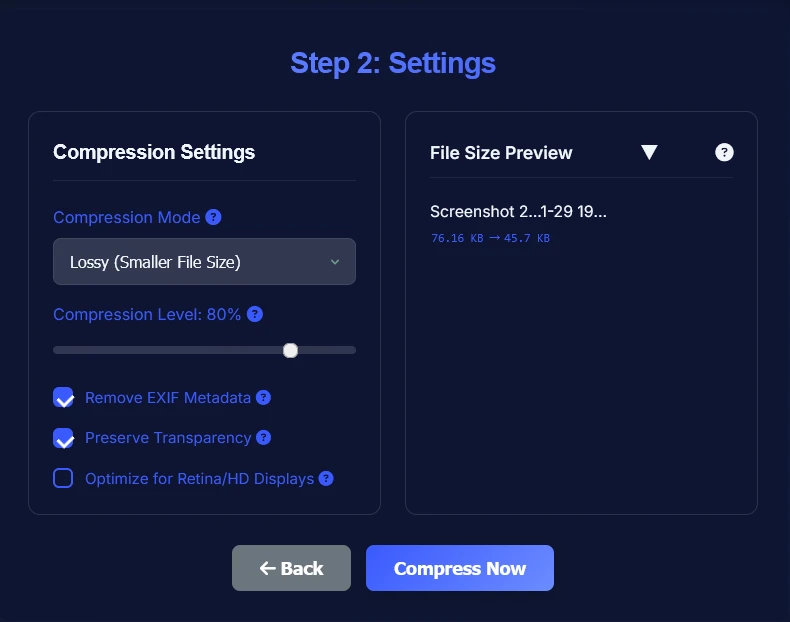
Choose the compression mode and adjust the level based on your balance between file size and usable quality. This works well for JPG, PNG, and WebP images used on websites, product pages, or email.

Choose image compression settings
3

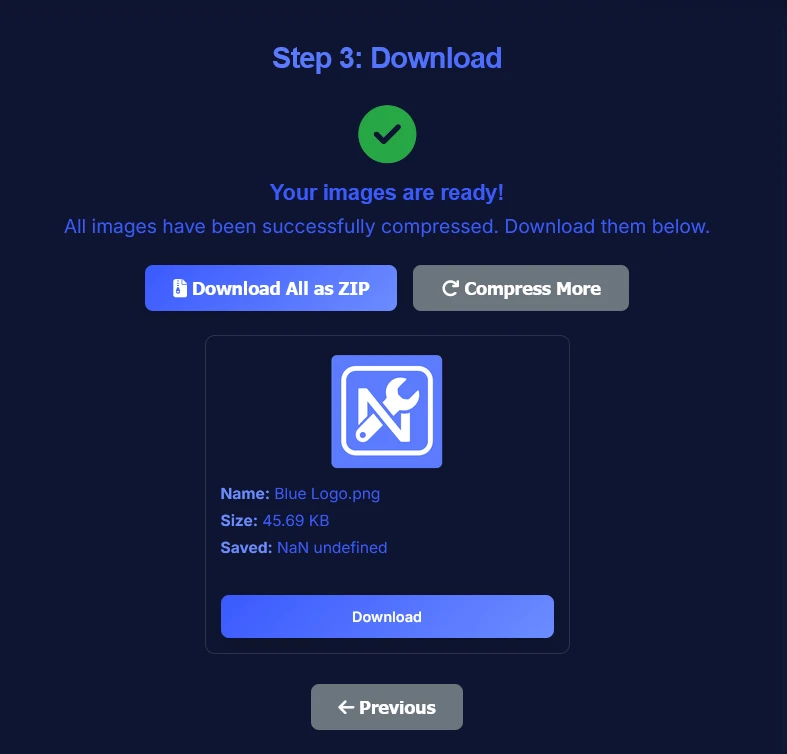
Compress the images in your browser, review the smaller output files, and download them when ready. The result is easier to upload, share, and publish while keeping practical image quality.

Download compressed images with smaller file size

When should you compress images?

Compress images when smaller files make uploading, loading, sharing, or storing them easier.

Compress images before uploading them to a website, online store, blog post, or landing page. Smaller JPG, PNG, and WebP files help pages load faster, improve user experience, and make site assets easier to manage.

It is also useful before sending email attachments, posting to social platforms, saving space on your device, or uploading images through slower connections. In those cases, reducing image file size helps you move files faster without making them unusable.

Image Compressor FAQ

Answers to common questions about compressing images online, reducing image file size, supported formats, and browser-based processing.

Is this image compressor free?
Yes. You can compress image files online for free with no account, subscription, or watermark.
Is it safe to compress images here?
Yes. This image compressor works in your browser, so your files stay on your device during processing.
Are my files uploaded to a server?
No. The compression runs client-side in your browser, so your images are not uploaded for remote processing.
Does image compression reduce quality?
Compression can reduce quality depending on the settings, but with a balanced level the visual difference is often minor while the file size savings are significant.
Which image formats are supported?
The Image Compressor supports JPG, JPEG, PNG, WebP, GIF, BMP, and TIFF image formats.
Can I compress JPG, PNG, and WebP files?
Yes. You can compress JPG, PNG, and WebP images online to reduce file size for websites, ecommerce, email, and sharing.
Does it work on mobile?
Yes. The tool works on modern mobile browsers as well as desktop devices. For large batches, desktop usually feels faster.
Can I compress multiple images?
Yes. You can add multiple images in one session and compress them together before downloading the results.
Should I compress images before uploading to a website?
Yes. Compressing images before uploading helps pages load faster, improves performance, and reduces bandwidth usage.
What is the difference between resizing and compressing?
Resizing changes an image's dimensions, while compressing reduces file size by optimizing the image data. You can use both together when you need smaller files.

Related tools for your image workflow

Use these next-step tools after compressing images to resize, convert, publish, or bundle your files.